
9. GPI & GPO#
The Joulescope contains four (4) general-purpose inputs (GPI) and two (2) general-purpose outputs (GPO) located on the GPIO connector to the left of the host USB connecter. The JS220 includes a GPIO cable harness that can simplify connecting the GPIO to target devices and breadboards. The BNC Trigger connector located to the right of the host USB connector can be configured as either an additional general purpose input or output.
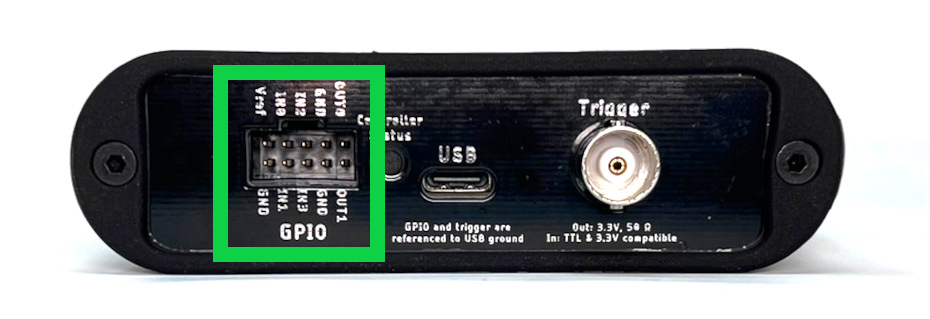
The JS220 software can record the input signals and control the output signals. The input signals allow the JS220 to monitor other equipment and your device under test. The output signals can be used to control other equipment or the device under test. The user interface can display inputs time-synchronized with current, voltage, and power in the oscilloscope view.
One intended application for the GPIs is to allow the target microcontroller firmware to identify areas of interest. The microcontroller can toggle bits so that you can easily see the energy consumption in the marked time windows.
The GPIO and Trigger are referenced to USB ground. Many applications using Joulescope will want isolated GPI/GPO for improved performance. When selecting an isolation solution, consider:
Electrical isolation
Self-powered target interface with very low power from target device – leakage currents only
Variable voltage technology levels with an external reference voltage
ESD protection
Overvoltage protection (GPO)
Short circuit protection (GPO)
Very high (GΩ) input impedance (GPI)
To control the JS220’s GPIO, use the Device Control Widget. While you can add this widget to the current view, the quickest way to make a change is by clicking the Device Control icon on the Sidebar:
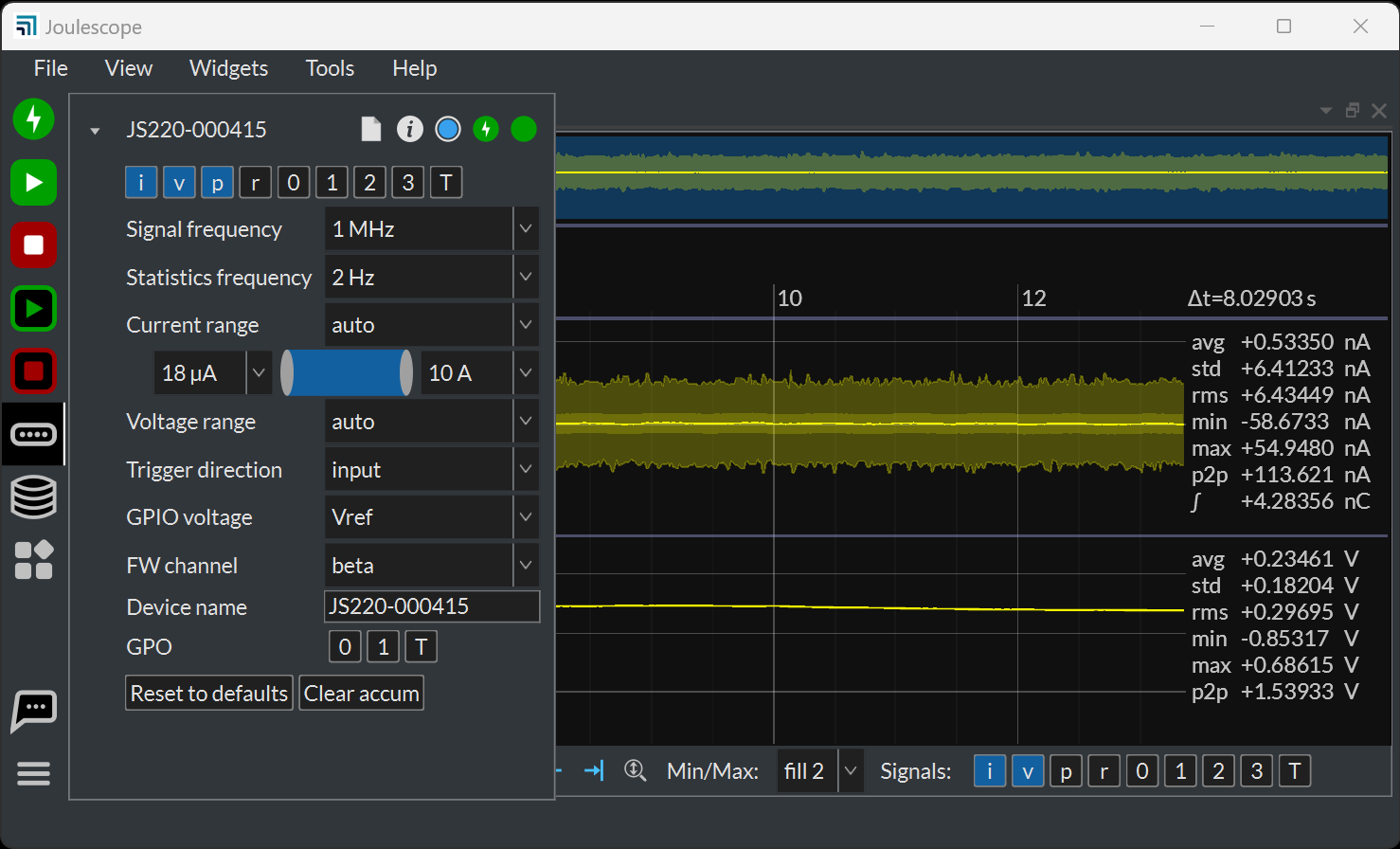
You can enable the GPI signals 0, 1, 2, 3, and T by enabling the signal at the top. To also view them in the Waveform Widget, you also need to enable the signal in the Waveform Control at the bottom (by default) of the Waveform Widget. You can toggle the GPO signals 0, 1, and T by clicking the GPO at the bottom.
The GPIO includes an external Vref signal. When using the GPIO with your device under test, connect Vref to the supply voltage on the device under test. Using Vref ensures that the input threshold and output voltage match the target system. Using Vref also ensures that the outputs do not backpower the device under test.
Alternatively, the JS220 can use an internal 3.3V reference voltage. In both cases, Vref determines the output voltage high level. The input threshold voltage is one half of this voltage.
The connector part number is Molex 90130-3210 or equivalent. Compatible connectors include Molex . Molex 219658-1103 is a compatible off-the-shelf cable assembly.