Ctrl+K

Joulescope Docs

  • Introduction
  • Getting Started
  • Products
  • Software
  • Glossary
  • Contact
  • Disclaimers
  • GitHub
  • Introduction
  • Getting Started
  • Products
  • Software
  • Glossary
  • Contact
  • Disclaimers
  • GitHub
  • Introduction
  • Getting Started
    • Unboxing
    • Installing the Joulescope UI
    • First steps
  • Products
    • JS320
      • 1. Overview
      • 2. Meet Your Joulescope JS320
      • 3. Quick start
      • 4. Specifications
      • 5. Host software
      • 6. How to Connect Your Joulescope
      • 7. Theory of operation
      • 8. How to swap the front panel
      • 9. GPI & GPO
      • 10. Fuse
      • 11. Electrical Isolation
      • 12. Filters and Frequency Response
      • 13. Typical Behavior
      • 14. Maintenance
      • 15. Ordering Information
      • 16. Compliance
      • 17. Warranty
      • 18. Intellectual Property
      • 19. Change log
    • JS220
      • 1. Overview
      • 2. Meet Your Joulescope JS220
      • 3. Quick start
      • 4. Specifications
      • 5. Host software
      • 6. How to Connect Your Joulescope
      • 7. Theory of operation
      • 8. How to swap the front panel
      • 9. GPI & GPO
      • 10. Fuse
      • 11. Electrical Isolation
      • 12. Filters and Frequency Response
      • 13. Typical Behavior
      • 14. Maintenance
      • 15. Compliance
      • 16. Warranty
      • 17. Intellectual Property
      • 18. Change log
    • JS220+
      • 1. Introduction
      • 2. Specifications
      • 3. Trim Calibration
      • 4. Technology
      • 5. Ordering Information
      • 6. Change log
    • JS110
      • 1. Overview
      • 2. Meet Your Joulescope
      • 3. Quick start
      • 4. Specifications
      • 5. Host software
      • 6. Theory of operation
      • 7. How to swap the front panel
      • 8. GPI & GPO
      • 9. Electrical Isolation
      • 10. Typical Behavior
      • 11. Compliance
      • 12. Maintenance
      • 13. Troubleshooting
      • 14. Warranty
      • 15. Change log
    • Datasheets
      • Joulescope JS320 Datasheet
      • Joulescope JS220 Datasheet
      • Joulescope JS220+ Datasheet
      • Joulescope JS110 Datasheet
      • Datasheet YAML format
  • Software
    • UI
      • 1. Introduction
      • 2. Key benefits
      • 3. Installation
      • 4. Meet the Joulescope UI
      • 5. Multiple Instrument Support
      • 6. Graphics configuration
      • 7. Internationalization and Localization
      • 8. Source Code
      • 9. Plugin Support
      • 10. Troubleshooting
      • 11. Change log
    • Driver
      • Joulescope Driver
      • Getting started
      • Streaming and statistics topics
      • C API
        • JSDRV API
        • C-String utility functions
        • Error codes
        • Metadata handling
        • Time representation and functions
        • Topic string utility functions
        • Union value type
      • Python API
        • Driver
        • Device selection
        • Record
        • Program
        • time64
      • JS220 topics
      • JS320 topics
      • JS320 Calibration (js320_cal)
      • JS320 Firmware Update Subsystem (js320_fwup)
      • CHANGELOG
    • pyjoulescope
      • User Guide
        • Introduction
        • Installation
        • Quick Start Guide
        • License
        • CHANGELOG
      • API Guide
        • Device Discovery
        • Device
        • Stream Buffer API
        • Stream Process API
        • Statistics API
        • Data File Module
        • Data Recorder Module
        • View
        • Transition to v1
    • JLS
      • JLS
      • C API
        • Error Codes
        • JLS Format
        • JLS Reader
        • JLS Threaded Writer
        • JLS Time
      • Python API
      • CHANGELOG
  • Glossary
  • Contact
  • Disclaimers
  • Software
  • Joulescope UI User’s Guide

Joulescope UI User’s Guide#

Joulescope logo

Revision 1.7

Last revised 2024 Oct 1

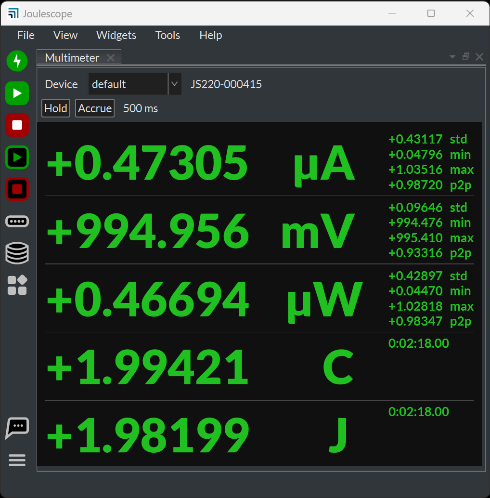
Joulescope UI Multimeter view

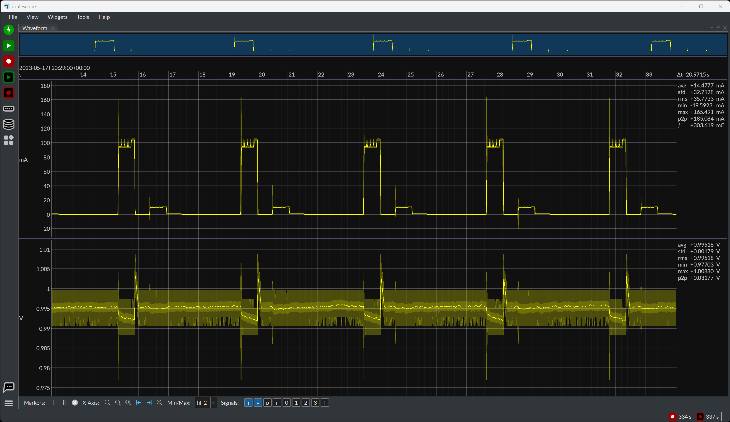
Joulescope UI Oscilloscope view

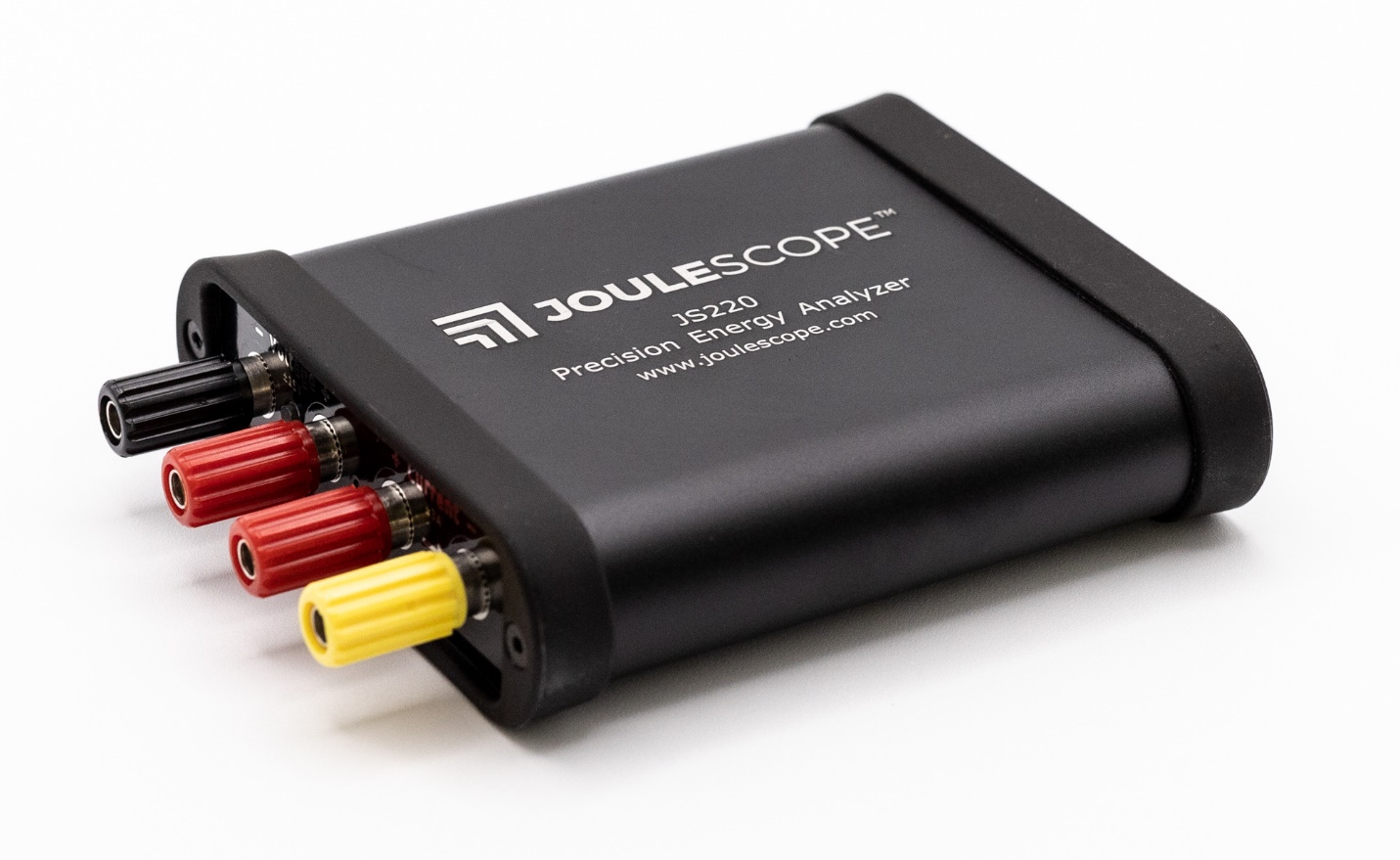
Joulescope JS220

  • 1. Introduction
  • 2. Key benefits
  • 3. Installation
    • 3.1. Microsoft® Windows
    • 3.2. Apple® macOS
    • 3.3. Ubuntu Linux
    • 3.4. Python (all platforms)
  • 4. Meet the Joulescope UI
    • 4.1. Multimeter View
    • 4.2. Oscilloscope View
    • 4.3. Energy and Charge
    • 4.4. Signal Management
    • 4.5. Triggers
  • 5. Multiple Instrument Support
  • 6. Graphics configuration
  • 7. Internationalization and Localization
  • 8. Source Code
  • 9. Plugin Support
    • 9.1. Installing a Plugin
    • 9.2. Developing a Plugin
    • 9.3. Known issues
  • 10. Troubleshooting
    • 10.1. Reporting issues
    • 10.2. Windows memory compression
    • 10.3. Virtual Machines
    • 10.4. Recording to Network Storage
    • 10.5. UI opens to white / blank window
  • 11. Change log

previous

Software

next

1. Introduction

Show Source

© Copyright 2018-2026, Jetperch LLC.